Fight Baddies Simulator Script | Keyless Auto Farm, God Mode & INF Power
 Keyless

Description
Crush every wave with ease using this lightweight, optimized Fight Baddies Simulator script. Engineered specifically to help you breeze through tedious stage challenges without dropping frames, this keyless utility gives you full control over your character’s physics so you can dominate enemies and stack wins effortlessly.
Key Features
- Auto Farm / Auto Quest: Automate your progression loops to gain resources, wins, or coins without manual clicking.
- Invincibility (God Mode): Toggle an active immunity layer to protect your character from deadly stage hazards and map obstacles.
- INF Power: Enhance your gameplay controls using our custom inf power.
- 100% Free & Keyless Access: No linkvertise walls or tedious verification gateways. Paste the code and gain immediate access to the menu dashboard.
- Low-End Optimization: Lightweight script design that runs perfectly on lower-spec mobile devices and PC executors without lagging your client.
How to Use the Script
- Launch the Game: Join a live server in Fight Baddies Simulator.
- Open Your Exploit Client: Run your choice of Roblox mobile or PC executor (Delta, Codex, Hydrogen, Synapse Z, Xeno, etc.).
- Copy the Loadstring: Grab the official verified Pastebin link provided in the code block below.
- Paste & Execute: Drop the code into your script injector’s main workspace window and click Execute.
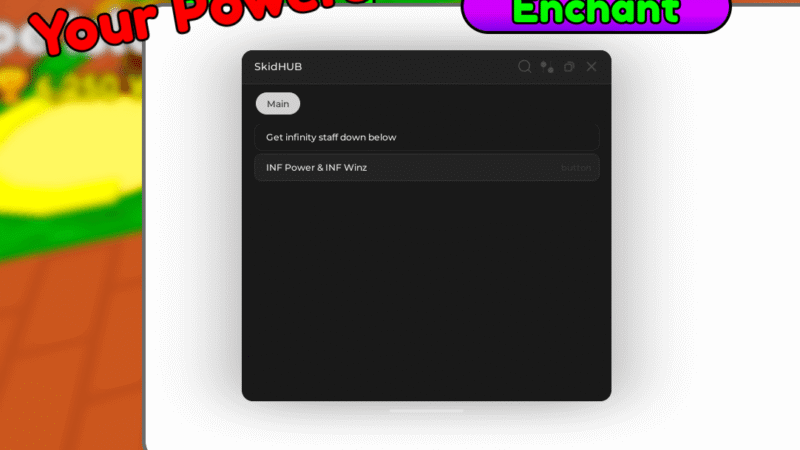
- Configure Options: Open the responsive on-screen GUI to activate your infinite jumps, custom speed tiers, and invincibility triggers.
Features
Compatible Executors
Script
--[[ snooze ]]
local fenv = getfenv()
local ReplicatedStorage = game:GetService("ReplicatedStorage")
local isLoaded = game:IsLoaded()
task.wait()
local isLoaded2 = game:IsLoaded()

local Rayfield = loadstring(game:HttpGet("https://sirius.menu/rayfield", true))()

local Window = Rayfield:CreateWindow({
    LoadingTitle = 'SkidHUB On Top!',
    Name = 'SkidHUB',
    KeySystem = false,
    LoadingSubtitle = 'by snooze OpenSource',
    ConfigurationSaving = {
        Enabled = false
    }
})

local MainTab = Window:CreateTab('Main')

MainTab:CreateLabel('Get infinity staff down below')

local Events = game:GetService("ReplicatedStorage"):FindFirstChild("Event")

MainTab:CreateButton({
    Name = 'INF Power & INF Winz',
    Callback = function()
        local TrainEvent = Events:FindFirstChild('Train')
        local WinGainEvent = Events:FindFirstChild('WinGain')

        TrainEvent:FireServer(1e67) -- you can change here number after "e" and get more
        WinGainEvent:FireServer(1e67) -- here the same

        Rayfield:MakeNotification({
            Title = 'SkidHUB',
            Content = 'Inf Power & Inf Wins granted!',
            Duration = 3
        })
    end
})
Comments (0)

No comments yet. Be the first!