
Description
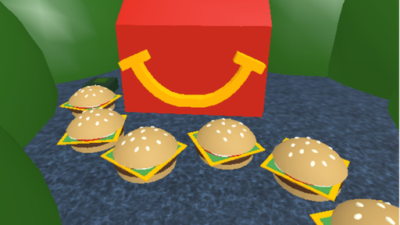
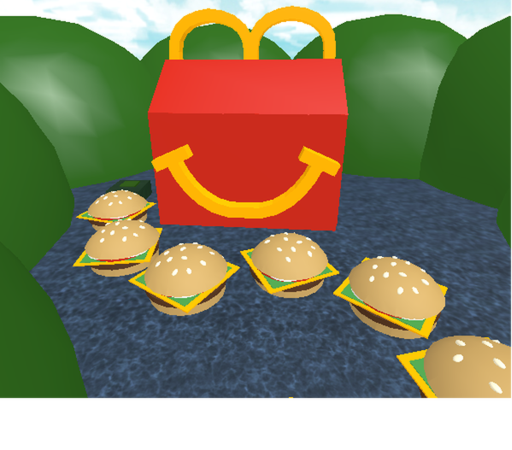
Embark on a thrilling adventure to break free from the fast-food giant in Escape McDonalds Obby, and dominate the leaderboards using this powerful, game-changing script. This custom tool is designed to bypass tricky jumps and obstacles effortlessly, allowing you to secure victories in record time. Best of all, the script is entirely keyless, meaning you can jump straight into the action without dealing with tedious link shorteners or verification steps.
Key Features
- Auto Win: Instantly teleports your character to the final stage, securing your victory and rewards without breaking a sweat.
- Tp to Cool Place: Instantly transports you to secret, fun locations within the map to explore hidden areas.
- Fling All: Unleashes a fun physics exploit that lets you launch other players into the air for chaotic entertainment.
- Keyless Access: Enjoy instant access to all features without the hassle of completing key system tasks or ads.
- Mobile & PC Optimized: The lightweight code runs smoothly on popular executors like Delta, Codex, Hydrogen, and Wave without causing lag or frame drops.
How to Use the Script
- Launch Roblox and open the Escape McDonalds Obby game on your device.
- Open your preferred Roblox executor client, such as Delta, Codex, Hydrogen, or Wave.
- Copy the official Pastebin loadstring code provided below.
- Paste the copied code into the executor’s editor window and click the execute button.
- Use the in-game GUI that appears to easily toggle Auto Win, teleports, and other fun options.
Features
Compatible Executors
Script
-- Auto Win GUI Script
-- For Roblox (assuming you're using this in a Roblox environment)

local Players = game:GetService("Players")
local player = Players.LocalPlayer
local character = player.Character or player.CharacterAdded:Wait()
local humanoidRootPart = character:WaitForChild("HumanoidRootPart")

-- Create ScreenGui
local screenGui = Instance.new("ScreenGui")
screenGui.Name = "AutoWinGUI"
screenGui.Parent = player:WaitForChild("PlayerGui")

-- ==================== WARNING GUI ====================
local warningFrame = Instance.new("Frame")
warningFrame.Name = "WarningFrame"
warningFrame.Size = UDim2.new(0, 500, 0, 250)
warningFrame.Position = UDim2.new(0.5, -250, 0.5, -125)
warningFrame.BackgroundColor3 = Color3.fromRGB(20, 20, 30)
warningFrame.BorderSizePixel = 3
warningFrame.BorderColor3 = Color3.fromRGB(255, 0, 0)
warningFrame.Active = true
warningFrame.Draggable = true
warningFrame.Parent = screenGui

-- Warning Title
local warningTitle = Instance.new("TextLabel")
warningTitle.Name = "WarningTitle"
warningTitle.Size = UDim2.new(1, 0, 0, 40)
warningTitle.Position = UDim2.new(0, 0, 0, 0)
warningTitle.BackgroundColor3 = Color3.fromRGB(40, 0, 0)
warningTitle.BorderSizePixel = 0
warningTitle.Text = "⚠️ WARNING ⚠️"
warningTitle.TextColor3 = Color3.fromRGB(255, 0, 0)
warningTitle.TextSize = 28
warningTitle.Font = Enum.Font.GothamBold
warningTitle.Parent = warningFrame

-- Warning Text
local warningText = Instance.new("TextLabel")
warningText.Name = "WarningText"
warningText.Size = UDim2.new(0.9, 0, 0, 120)
warningText.Position = UDim2.new(0.05, 0, 0, 50)
warningText.BackgroundColor3 = Color3.fromRGB(0, 0, 0, 0)
warningText.Text = "Roblox Moderation is not the best so take advantage before it gets updated. But that does not stop people reporting you and screenshotting so always use an alt and be aware your account could be terminated."
warningText.TextColor3 = Color3.fromRGB(255, 200, 200)
warningText.TextSize = 15
warningText.TextWrapped = true
warningText.TextXAlignment = Enum.TextXAlignment.Center
warningText.TextYAlignment = Enum.TextYAlignment.Center
warningText.Font = Enum.Font.GothamMedium
warningText.Parent = warningFrame

-- Accept Button
local acceptButton = Instance.new("TextButton")
acceptButton.Name = "AcceptButton"
acceptButton.Size = UDim2.new(0, 200, 0, 45)
acceptButton.Position = UDim2.new(0.5, -100, 1, -60)
acceptButton.BackgroundColor3 = Color3.fromRGB(200, 0, 0)
acceptButton.BorderSizePixel = 2
acceptButton.BorderColor3 = Color3.fromRGB(255, 200, 200)
acceptButton.Text = "I ACCEPT"
acceptButton.TextColor3 = Color3.fromRGB(255, 255, 255)
acceptButton.TextSize = 18
acceptButton.Font = Enum.Font.GothamBold
acceptButton.Parent = warningFrame

-- ==================== MAIN GUI ====================
local mainFrame = Instance.new("Frame")
mainFrame.Name = "MainFrame"
mainFrame.Size = UDim2.new(0, 280, 0, 220) -- Increased height for new toggle
mainFrame.Position = UDim2.new(0.5, -140, 0.5, -110)
mainFrame.BackgroundColor3 = Color3.fromRGB(30, 30, 40)
mainFrame.BorderSizePixel = 2
mainFrame.BorderColor3 = Color3.fromRGB(255, 215, 0)
mainFrame.Active = true
mainFrame.Draggable = true
mainFrame.Visible = false
mainFrame.Parent = screenGui

-- Title label
local titleLabel = Instance.new("TextLabel")
titleLabel.Name = "TitleLabel"
titleLabel.Size = UDim2.new(1, 0, 0, 30)
titleLabel.Position = UDim2.new(0, 0, 0, 0)
titleLabel.BackgroundColor3 = Color3.fromRGB(40, 40, 50)
titleLabel.BorderSizePixel = 0
titleLabel.Text = "Auto Win"
titleLabel.TextColor3 = Color3.fromRGB(255, 215, 0)
titleLabel.TextSize = 20
titleLabel.Font = Enum.Font.GothamBold
titleLabel.Parent = mainFrame

-- Auto Win Toggle Button
local toggleButton = Instance.new("TextButton")
toggleButton.Name = "ToggleButton"
toggleButton.Size = UDim2.new(0, 200, 0, 35)
toggleButton.Position = UDim2.new(0.5, -100, 0, 40)
toggleButton.BackgroundColor3 = Color3.fromRGB(60, 60, 80)
toggleButton.BorderSizePixel = 1
toggleButton.BorderColor3 = Color3.fromRGB(255, 215, 0)
toggleButton.Text = "Auto Win: OFF"
toggleButton.TextColor3 = Color3.fromRGB(255, 255, 255)
toggleButton.TextSize = 14
toggleButton.Font = Enum.Font.GothamSemibold
toggleButton.Parent = mainFrame

-- Auto Win Status indicator
local autoWinIndicator = Instance.new("Frame")
autoWinIndicator.Name = "AutoWinIndicator"
autoWinIndicator.Size = UDim2.new(0, 12, 0, 12)
autoWinIndicator.Position = UDim2.new(0, 10, 0.5, -6)
autoWinIndicator.BackgroundColor3 = Color3.fromRGB(255, 0, 0)
autoWinIndicator.BorderSizePixel = 0
autoWinIndicator.Parent = toggleButton

-- Cool Place Toggle Button
local coolPlaceButton = Instance.new("TextButton")
coolPlaceButton.Name = "CoolPlaceButton"
coolPlaceButton.Size = UDim2.new(0, 200, 0, 35)
coolPlaceButton.Position = UDim2.new(0.5, -100, 0, 85)
coolPlaceButton.BackgroundColor3 = Color3.fromRGB(60, 60, 80)
coolPlaceButton.BorderSizePixel = 1
coolPlaceButton.BorderColor3 = Color3.fromRGB(0, 200, 255)
coolPlaceButton.Text = "Cool Place: OFF"
coolPlaceButton.TextColor3 = Color3.fromRGB(255, 255, 255)
coolPlaceButton.TextSize = 14
coolPlaceButton.Font = Enum.Font.GothamSemibold
coolPlaceButton.Parent = mainFrame

-- Cool Place Status indicator
local coolPlaceIndicator = Instance.new("Frame")
coolPlaceIndicator.Name = "CoolPlaceIndicator"
coolPlaceIndicator.Size = UDim2.new(0, 12, 0, 12)
coolPlaceIndicator.Position = UDim2.new(0, 10, 0.5, -6)
coolPlaceIndicator.BackgroundColor3 = Color3.fromRGB(255, 0, 0)
coolPlaceIndicator.BorderSizePixel = 0
coolPlaceIndicator.Parent = coolPlaceButton

-- Fling All Toggle Button
local flingButton = Instance.new("TextButton")
flingButton.Name = "FlingButton"
flingButton.Size = UDim2.new(0, 200, 0, 35)
flingButton.Position = UDim2.new(0.5, -100, 0, 130)
flingButton.BackgroundColor3 = Color3.fromRGB(60, 60, 80)
flingButton.BorderSizePixel = 1
flingButton.BorderColor3 = Color3.fromRGB(255, 0, 255)
flingButton.Text = "Fling All: OFF"
flingButton.TextColor3 = Color3.fromRGB(255, 255, 255)
flingButton.TextSize = 14
flingButton.Font = Enum.Font.GothamSemibold
flingButton.Parent = mainFrame

-- Fling All Status indicator
local flingIndicator = Instance.new("Frame")
flingIndicator.Name = "FlingIndicator"
flingIndicator.Size = UDim2.new(0, 12, 0, 12)
flingIndicator.Position = UDim2.new(0, 10, 0.5, -6)
flingIndicator.BackgroundColor3 = Color3.fromRGB(255, 0, 0)
flingIndicator.BorderSizePixel = 0
flingIndicator.Parent = flingButton

-- Variables
local autoWinEnabled = false
local coolPlaceEnabled = false
local flingEnabled = false
local targetPosition1 = Vector3.new(-495, 134, -595)
local targetPosition2 = Vector3.new(-229, 136, 638)
local flingCoroutine = nil

-- Function to teleport player
local function teleportToTarget(position)
    if character and humanoidRootPart then
        humanoidRootPart.CFrame = CFrame.new(position)
    end
end

-- Fling All function (using the pastebin script)
local function startFling()
    -- Load the fling script from pastebin
    local success, err = pcall(function()
        loadstring(game:HttpGet("https://pastebin.com/raw/zqyDSUWX"))()
    end)

    if not success then
        warn("Failed to load fling script: " .. tostring(err))
        -- Fallback fling function if pastebin fails
        flingEnabled = true
        flingCoroutine = coroutine.create(function()
            while flingEnabled do
                for _, otherPlayer in ipairs(Players:GetPlayers()) do
                    if otherPlayer ~= player then
                        local otherChar = otherPlayer.Character
                        if otherChar and otherChar:FindFirstChild("HumanoidRootPart") then
                            local rootPart = otherChar.HumanoidRootPart
                            -- Apply a fling effect
                            rootPart.Velocity = Vector3.new(
                                math.random(-500, 500),
                                math.random(200, 800),
                                math.random(-500, 500)
                            )
                        end
                    end
                end
                wait(0.1)
            end
        end)
        coroutine.resume(flingCoroutine)
    end
end

-- Toggle Auto Win function
local function toggleAutoWin()
    autoWinEnabled = not autoWinEnabled

    if autoWinEnabled then
        toggleButton.Text = "Auto Win: ON"
        autoWinIndicator.BackgroundColor3 = Color3.fromRGB(0, 255, 0)
        spawn(function()
            while autoWinEnabled do
                if character and humanoidRootPart then
                    teleportToTarget(targetPosition1)
                end
                wait(0.1)
            end
        end)
    else
        toggleButton.Text = "Auto Win: OFF"
        autoWinIndicator.BackgroundColor3 = Color3.fromRGB(255, 0, 0)
    end
end

-- Toggle Cool Place function
local function toggleCoolPlace()
    coolPlaceEnabled = not coolPlaceEnabled

    if coolPlaceEnabled then
        coolPlaceButton.Text = "Cool Place: ON"
        coolPlaceIndicator.BackgroundColor3 = Color3.fromRGB(0, 255, 0)
        spawn(function()
            while coolPlaceEnabled do
                if character and humanoidRootPart then
                    teleportToTarget(targetPosition2)
                end
                wait(0.1)
            end
        end)
    else
        coolPlaceButton.Text = "Cool Place: OFF"
        coolPlaceIndicator.BackgroundColor3 = Color3.fromRGB(255, 0, 0)
    end
end

-- Toggle Fling All function
local function toggleFling()
    flingEnabled = not flingEnabled

    if flingEnabled then
        flingButton.Text = "Fling All: ON"
        flingIndicator.BackgroundColor3 = Color3.fromRGB(0, 255, 0)
        startFling()
    else
        flingButton.Text = "Fling All: OFF"
        flingIndicator.BackgroundColor3 = Color3.fromRGB(255, 0, 0)
        -- Stop fling by disabling the loop
        flingEnabled = false
        if flingCoroutine then
            flingCoroutine = nil
        end
    end
end

-- Connect buttons
toggleButton.MouseButton1Click:Connect(toggleAutoWin)
coolPlaceButton.MouseButton1Click:Connect(toggleCoolPlace)
flingButton.MouseButton1Click:Connect(toggleFling)

-- Keyboard shortcuts
local userInputService = game:GetService("UserInputService")
userInputService.InputBegan:Connect(function(input, gameProcessed)
    if gameProcessed then return end

    if input.KeyCode == Enum.KeyCode.W and input.UserInputType == Enum.UserInputType.Keyboard then
        if userInputService:IsKeyDown(Enum.KeyCode.LeftControl) or userInputService:IsKeyDown(Enum.KeyCode.RightControl) then
            toggleAutoWin()
        end
    end

    if input.KeyCode == Enum.KeyCode.C and input.UserInputType == Enum.UserInputType.Keyboard then
        if userInputService:IsKeyDown(Enum.KeyCode.LeftControl) or userInputService:IsKeyDown(Enum.KeyCode.RightControl) then
            toggleCoolPlace()
        end
    end

    if input.KeyCode == Enum.KeyCode.F and input.UserInputType == Enum.UserInputType.Keyboard then
        if userInputService:IsKeyDown(Enum.KeyCode.LeftControl) or userInputService:IsKeyDown(Enum.KeyCode.RightControl) then
            toggleFling()
        end
    end
end)

-- ==================== WARNING ACCEPT FUNCTION ====================
local function acceptWarning()
    warningFrame.Visible = false
    mainFrame.Visible = true
    print("Auto Win GUI loaded! Drag the window to move it.")
    print("Ctrl+W = Toggle Auto Win | Ctrl+C = Toggle Cool Place | Ctrl+F = Toggle Fling All")
end

acceptButton.MouseButton1Click:Connect(acceptWarning)

-- Cleanup function when GUI is removed
screenGui.AncestryChanged:Connect(function()
    if not screenGui.Parent then
        autoWinEnabled = false
        coolPlaceEnabled = false
        flingEnabled = false
        if flingCoroutine then
            flingCoroutine = nil
        end
    end
end)

print("Warning screen displayed. Please read and accept to continue.")
Comments (0)

No comments yet. Be the first!