
Drain the Lake Script – Dani’s Hub v2 Auto Collect, Auto Fill Bucket, Auto Pour, OP Keyless
 Keyless

Description
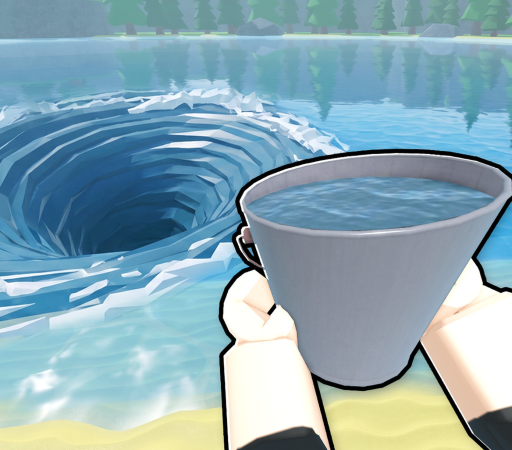
Dive into Roblox’s Drain the Lake with ultimate efficiency using the Dani’s Hub v2 script, designed to automate your tedious water-hauling chores. This powerful utility eliminates the boring grind of manual scooping by instantly managing your bucket operations and chest hunts behind the scenes. Best of all, this script is completely keyless, giving you instant access to top-tier automation without the hassle of annoying link shorteners.
Key Features
- Auto Fill Bucket: Automatically refills your bucket the split-second it empties, keeping your water-draining cycle running at maximum speed.
- Auto Pour: Instantly disposes of collected water at the designated drain zones without requiring manual clicks or precise positioning.
- Auto Collect & Chest Opener: Swiftly gathers all valuable loose items on the map, opens treasure chests, and teleports you safely back to your farming loop.
- Keyless & Free to Use: Enjoy full premium functionality with zero tedious key systems, bypasses, or annoying ad links.
- Optimized & Lightweight Code: Engineered to run lag-free on both mobile executors (like Delta, Hydrogen, and Codex) and PC clients (like Wave) for a seamless gameplay experience.
How to Use the Script
- Launch Roblox and enter the ‘Drain the Lake’ game.
- Open your preferred executor client, such as Delta, Codex, or Wave, on your mobile device or PC.
- Copy the Pastebin loadstring script code provided below.
- Paste the copied script directly into your executor’s text editor.
- Execute the script, configure your settings inside the Dani’s Hub v2 GUI, and let the automated drainage begin.
Features
Compatible Executors
Script
loadstring(game:HttpGet("https://raw.githubusercontent.com/momakdobiobannadiscord-maker/Roblox-/refs/heads/main/Drain"))()Comments (0)

No comments yet. Be the first!