
Description
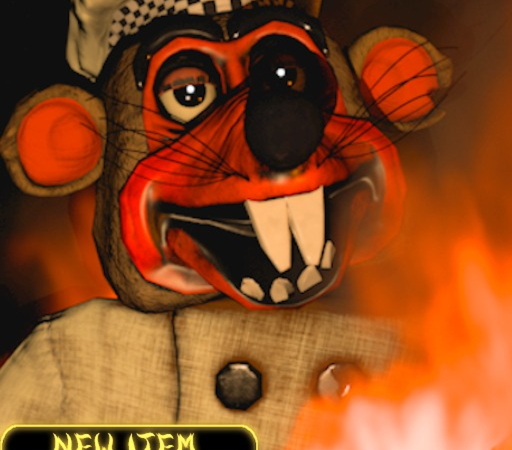
Surviving the terrifying encounters in “Night shift at paulie’s” becomes a thrilling breeze when you arm yourself with the Diarreha Jesus Hub script. This powerful, keyless utility gives you the upper hand against the eerie animatronic threats lurking in the shadows by bypassing difficult mechanics effortlessly. Instantly escape danger and gather critical survival items without the usual stress, ensuring you dominate every night shift with ease.
Key Features
- Brute Force Grab Items: Bypass standard doors, locks, or puzzles by forcefully pulling essential quest items directly into your inventory.
- ESP (Extra Sensory Perception): Track the exact positions of roaming animatronics and crucial interactive objects through walls to plan your escape routes safely.
- Speed Changer: Modify your character’s movement velocity to easily outrun aggressive monsters or swiftly navigate the dark corridors of the establishment.
- 100% Free & Keyless Access: Enjoy uninterrupted exploitation sessions without annoying linkvertise links, key generation websites, or tedious activation steps.
- Lag-Free Mobile & PC Optimization: Fully optimized to run flawlessly on top-tier executors like Delta, Codex, Hydrogen, and Wave without causing frame drops or game crashes.
How to Use the Script
- Launch the Roblox application and search for “Night shift at paulie’s” to start the game.
- Open your preferred Roblox script executor (such as Delta, Codex, Hydrogen, or Wave) on your PC or mobile device.
- Copy the Diarreha Jesus Hub script loadstring code securely from the official source page.
- Paste the copied code directly into the executor’s script editor tab.
- Press the ‘Execute’ button, open the in-game GUI menu, and toggle features like ESP or Speed Changer to start surviving.
Features
Compatible Executors
Script
local SG, Plrs, Ltg = Instance.new("ScreenGui", game:GetService("CoreGui")), game:GetService("Players"), game:GetService("Lighting")
local LP = Plrs.LocalPlayer
local F = Instance.new("Frame", SG)
F.BackgroundColor3 = Color3.fromRGB(25, 20, 15)
F.Size = UDim2.new(0, 220, 0, 280)
F.Position = UDim2.new(0.2, 0, 0.2, 0)
F.Active, F.Draggable = true, true

local T = Instance.new("TextLabel", F)
T.Size = UDim2.new(1, 0, 0, 30)
T.BackgroundColor3 = Color3.fromRGB(50, 30, 10)
T.Text, T.TextColor3, T.Font = "DIARHHEA JESUS HUB", Color3.fromRGB(245, 222, 179), Enum.Font.SourceSansBold

local Spd = Instance.new("TextBox", F)
Spd.Size = UDim2.new(0.9, 0, 0, 30)
Spd.Position = UDim2.new(0.05, 0, 0, 40)
Spd.PlaceholderText = "Type speed (e.g. 50)..."
local curSpd = 16

Spd.FocusLost:Connect(function() curSpd = tonumber(Spd.Text) or 16 end)
task.spawn(function() while task.wait(0.2) do if LP.Character and LP.Character:FindFirstChild("Humanoid") then LP.Character.Humanoid.WalkSpeed = curSpd end end end)

local states, objects, orig = {esp=false, fb=false, jscare=false}, {}, {Ltg.Ambient, Ltg.OutdoorAmbient, Ltg.Brightness, Ltg.ClockTime}

local function btn(txt, pos, key, click)
    local b = Instance.new("TextButton", F)
    b.Size = UDim2.new(0.9, 0, 0, 30)
    b.Position = UDim2.new(0.05, 0, 0, pos)
    b.Text = txt .. (click and "" or ": OFF")
    b.BackgroundColor3 = click and Color3.fromRGB(0, 100, 150) or Color3.fromRGB(60, 40, 40)
    b.TextColor3 = Color3.fromRGB(255, 255, 255)
    b.Font = Enum.Font.SourceSansBold
    b.MouseButton1Click:Connect(function()
        if click then click(b) return end
        states[key] = not states[key]
        b.Text = txt .. (states[key] and ": ON" or ": OFF")
        b.BackgroundColor3 = states[key] and Color3.fromRGB(40, 80, 40) or Color3.fromRGB(60, 40, 40)
    end)
end

btn("X-Ray / ESP", 80, "esp")
btn("Fullbright", 115, "fb")

btn("🔑 Brute-Force Grab Items", 150, nil, function(b)
    if not (LP.Character and LP.Character:FindFirstChild("HumanoidRootPart")) then return end
    local rp = LP.Character.HumanoidRootPart
    local old = rp.CFrame
    b.Text = "Grabbing... Wait"
    b.BackgroundColor3 = Color3.fromRGB(150, 100, 0)
    for _, o in pairs(workspace:GetDescendants()) do
        local n = o.Name:lower()
        if (n:match("key") or n:match("card") or n:match("tool") or n:match("crowbar") or n:match("fuse")) and not o:IsDescendantOf(LP.Character) and not (n:match("wall") or n:match("floor") or n:match("cube")) then
            local p = o:IsA("BasePart") and o or o:FindFirstChildWhichIsA("BasePart")
            if p then
                p.Anchored, p.CanCollide = false, false
                rp.CFrame = p.CFrame
                task.wait(0.1)
                local pr = o:FindFirstChildWhichIsA("ProximityPrompt", true)
                if pr then
                    pr.HoldDuration = 0
                    if fireproximityprompt then fireproximityprompt(pr) end
                    task.spawn(function() pr:InputBegan(Enum.UserInputType.Keyboard) task.wait(0.05) pr:InputEnded(Enum.UserInputType.Keyboard) end)
                end
                if o:FindFirstChildOfClass("TouchTransmitter") or p:FindFirstChildOfClass("TouchTransmitter") then
                    firetouchinterest(rp, p, 0) task.wait(0.05) firetouchinterest(rp, p, 1)
                end
                local cd = o:FindFirstChildWhichIsA("ClickDetector", true)
                if cd and fireclickdetector then fireclickdetector(cd) end
                task.wait(0.1)
            end
        end
    end
    rp.CFrame = old
    b.Text = "🔑 Brute-Force Grab Items"
    b.BackgroundColor3 = Color3.fromRGB(0, 100, 150)
end)

task.spawn(function()
    while task.wait(2) do
        for _, v in pairs(objects) do if v then v:Destroy() end end; objects = {}
        if not states.esp then continue end
        for _, o in pairs(workspace:GetDescendants()) do
            if o:IsDescendantOf(F) or (not o:IsA("BasePart") and not o:IsA("Model")) or o.Name:match("Cube") or o.Name:match("Mesh") or o.Name:match("Wall") or o.Name:match("Floor") then continue end
            local n, isAnim = o.Name:lower(), o:IsA("Model") and (o.Name:lower():match("paulie") or o.Name:lower():match("animatronic") or (o:FindFirstChild("Humanoid") and o.Name ~= LP.Name))
            local isItem = n:match("key") or n:match("card") or n:match("tool") or n:match("vhs") or n:match("table")
            if isAnim or isItem then
                local h = Instance.new("Highlight", o); h.FillColor, h.FillTransparency = isAnim and Color3.fromRGB(255, 0, 0) or Color3.fromRGB(0, 255, 255), 0.5; table.insert(objects, h)
                local r = o:IsA("BasePart") and o or o:FindFirstChildWhichIsA("BasePart")
                if r then
                    local bb = Instance.new("BillboardGui", r); bb.Size, bb.AlwaysOnTop = UDim2.new(0, 100, 0, 30), true; bb.StudsOffset = Vector3.new(0, 2, 0)
                    local tl = Instance.new("TextLabel", bb); tl.Size, tl.BackgroundTransparency, tl.Text, tl.TextColor3, tl.Font, tl.TextSize = UDim2.new(1, 0, 1, 0), 1, o.Name, h.FillColor, Enum.Font.SourceSansBold, 12; table.insert(objects, bb)
                end
            end
        end
    end
end)

task.spawn(function()
    while task.wait(0.4) do
        if states.fb then Ltg.Ambient, Ltg.OutdoorAmbient, Ltg.Brightness, Ltg.ClockTime = Color3.fromRGB(255, 255, 255), Color3.fromRGB(255, 255, 255), 2, 14
        else Ltg.Ambient, Ltg.OutdoorAmbient, Ltg.Brightness, Ltg.ClockTime = orig[1], orig[2], orig[3], orig[4] end
        local pGui = LP:WaitForChild("PlayerGui", 2)
        if pGui then
            for _, g in pairs(pGui:GetChildren()) do
                if g:IsA("ScreenGui") and (g.Name:lower():match("scare") or g.Name:lower():match("jump")) then g:Destroy() end
            end
        end
        if LP.Character and LP.Character:FindFirstChild("Humanoid") and LP.Character.Humanoid.Health
Comments (0)

No comments yet. Be the first!